

Agentic DevOps: The Future of Automation
Date published:

At Azure Spring Clean this year, we (Peter De Tender and myself) had the opportunity to present a topic that is rapidly transforming how engineering teams build, operate, and support modern cloud platforms: Agentic DevOps.
Across our combined decades of experience in Azure, DevOps, and developer tooling, we have seen teams struggle with the same challenge: operational complexity keeps growing, but engineering capacity does not. Agentic DevOps offers a path forward.
Why Agentic DevOps
DevOps has always been about improving flow, reducing friction, and enabling teams to deliver reliably. But as systems grow and operational complexity increases, so does the amount of repetitive work engineers are expected to handle:
- Code reviews
- Test generation
- PR hygiene
- Incident triage
- Runbook execution
- Migration planning
- Compliance checks
- Pipeline maintenance
These tasks matter, but they consume time and attention.
Agentic DevOps introduces a model where AI agents participate directly in the DevOps lifecycle—not as passive assistants, but as active contributors that can reason, take action, and automate meaningful engineering work.
Traditional DevOps vs. Agentic DevOps
Traditional DevOps relies on automation tools that follow fixed rules and scripts. A pipeline runs, tests execute, alerts fire—but human engineers must interpret results, make decisions, and drive remediation. The bottleneck remains human attention and manual intervention, especially when systems behave unexpectedly or incidents require cross-team coordination.
Agentic DevOps flips this model. Agents observe system state, analyze patterns, reason about root causes, and take autonomous actions within guardrails you define. A performance anomaly isn’t just flagged—the agent investigates metrics, identifies the likely culprit, proposes a fix, and may even execute remediation if configured. Code changes aren’t just validated against rules; agents review for quality, suggest improvements, and catch edge cases humans might miss. The result: engineering teams spend less time on triage and execution, more time on architecture and judgment.
Key Benefits of Agentic DevOps
Agentic DevOps delivers three concrete advantages.
- First, faster incident response—agents detect, triage, and often resolve issues in minutes rather than hours. - Second, continuous improvement—agents run health checks, compliance scans, and code reviews around the clock without adding headcount.
- Third, human focus—engineers concentrate on high-value decisions: system design, strategy, and innovation. Agents handle the repetitive work that drains attention and slows delivery.
The biggest benefit we see for now, is that organization don’t need to change their current DevOps processes. They can rather augment them by integrating agents into several aspects of it. And by doing so, those processes might even get optimized, issues from the past good get fixed, etc.
We framed this around the full DevOps loop:
Code → Operate → Plan → Verify → Deploy → Optimize
Agents can support every stage.
What Agentic DevOps enables
From the examples we shared, agents can:
- Review and improve code
- Generate tests
- Modernize applications
- Create issues and propose fixes
- Plan migrations
- Deploy workloads
- Investigate incidents
- Analyze metrics
- Run SRE workflows
- Perform proactive health and compliance checks
The Agentic DevOps toolbox
Agentic DevOps isn’t a single product. It’s an ecosystem of tools that work together to automate real engineering work. The good news is, that you probably have most of these tools in place already (Azure DevOps, GitHub, VS Code and alike), where now all these familiar tools, are getting enriched with Generative AI and Agentic DevOps capabilities.
Coding and build
- GitHub Copilot
- GitHub Copilot Agents
- VS Code / Visual Studio
- GitHub Projects / Azure Boards
Agent runtime and orchestration
- Azure DevOps MCP Server
- GitHub Copilot SDK
Operations and reliability
- Azure SRE Agent
This toolbox allows teams to build, run, and extend agents that automate real engineering tasks.
Azure DevOps Boards - GitHub Copilot integration
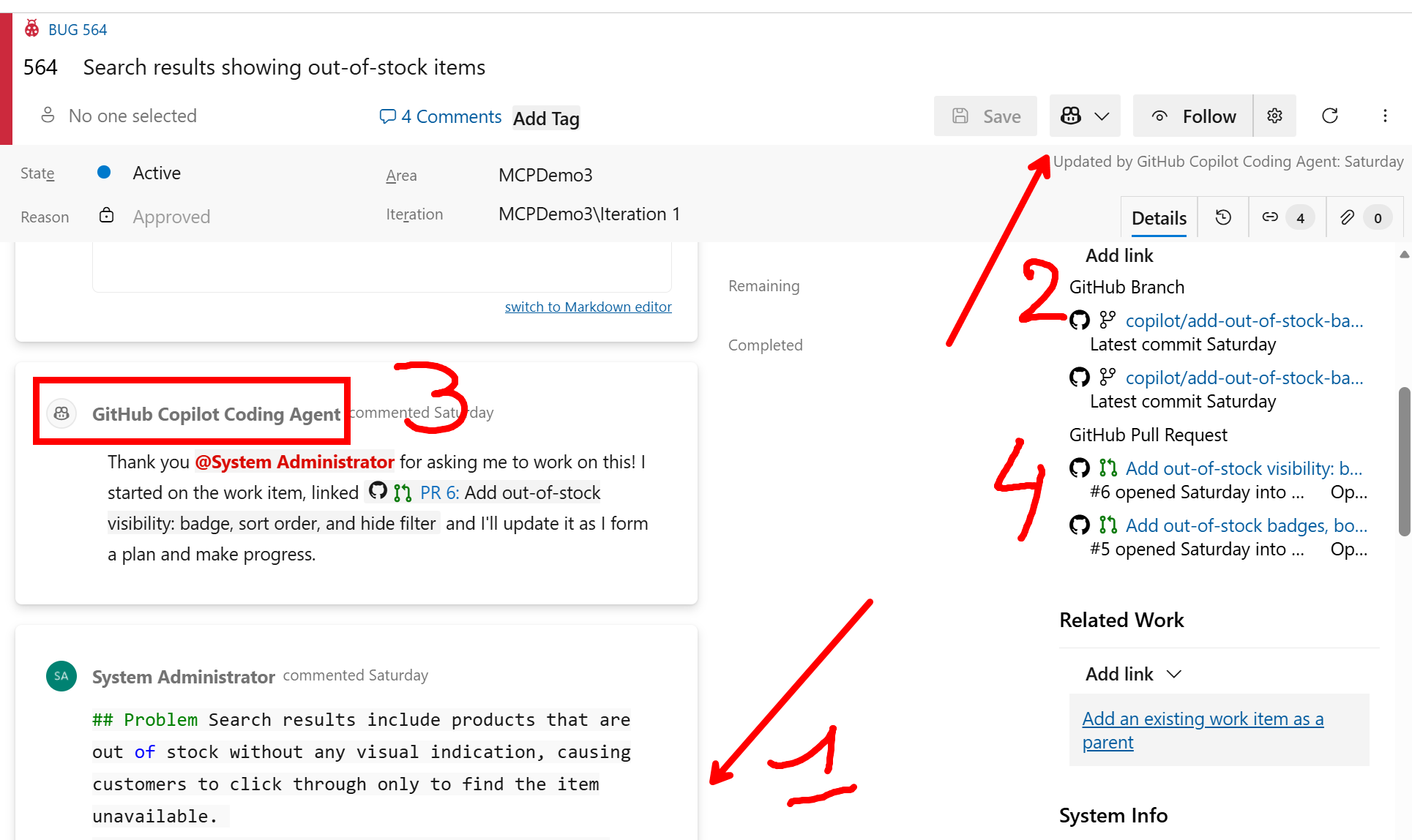
GitHub Copilot’s integration with Azure DevOps Boards transforms how teams manage work and collaborate on tasks. At its core, the integration uses natural language processing to help engineers interact with their boards more efficiently, reducing friction in the planning and tracking workflow.
Key Features:
- Intelligent Work Item Creation – Copilot can generate detailed work items directly from conversations or code context. Describe a feature need or bug fix, and Copilot drafts the title, description, acceptance criteria, and links to related code, saving time on documentation.
- Smart Queries and Filtering – Instead of manually navigating complex board filters, you can ask Copilot to find work items matching your criteria—by status, assignee, sprint, or custom fields. Natural language queries replace tedious filter UI interactions.
- Automated Task Breakdown – Large epics and features are difficult to estimate and execute. Copilot analyzes work items and suggests granular subtasks, helping teams decompose work into manageable pieces with more accurate estimates.
- Issue Triage and Assignment – Copilot reviews incoming issues, suggests severity, recommends assignees based on expertise and availability, and even proposes sprint placement. This reduces triage overhead for team leads.
- Contextual Linking – Copilot connects work items to related pull requests, code commits, and documentation automatically, providing better traceability and context without manual bookkeeping.
- Sprint Planning Assistance – During sprint planning, Copilot can summarize completed work, identify blockers, recommend velocity adjustments, and help prioritize the backlog based on dependencies and team capacity.
This integration embeds AI directly into your existing workflow, eliminating context switching and enabling teams to spend less time on administrative work and more time building.
Peter actually published a Microsoft Learn module, including practice lab (exercise) on how to set up and use Azure DevOps Boards with Github Copilot.
Azure DevOps MCP Server
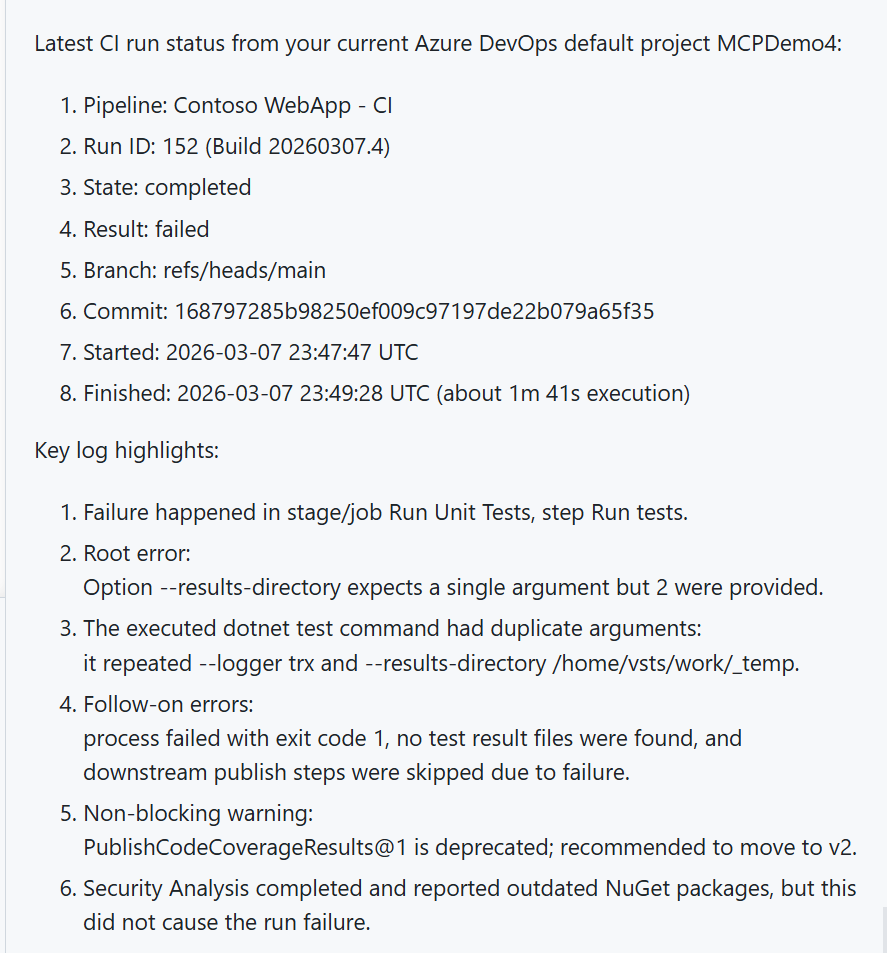
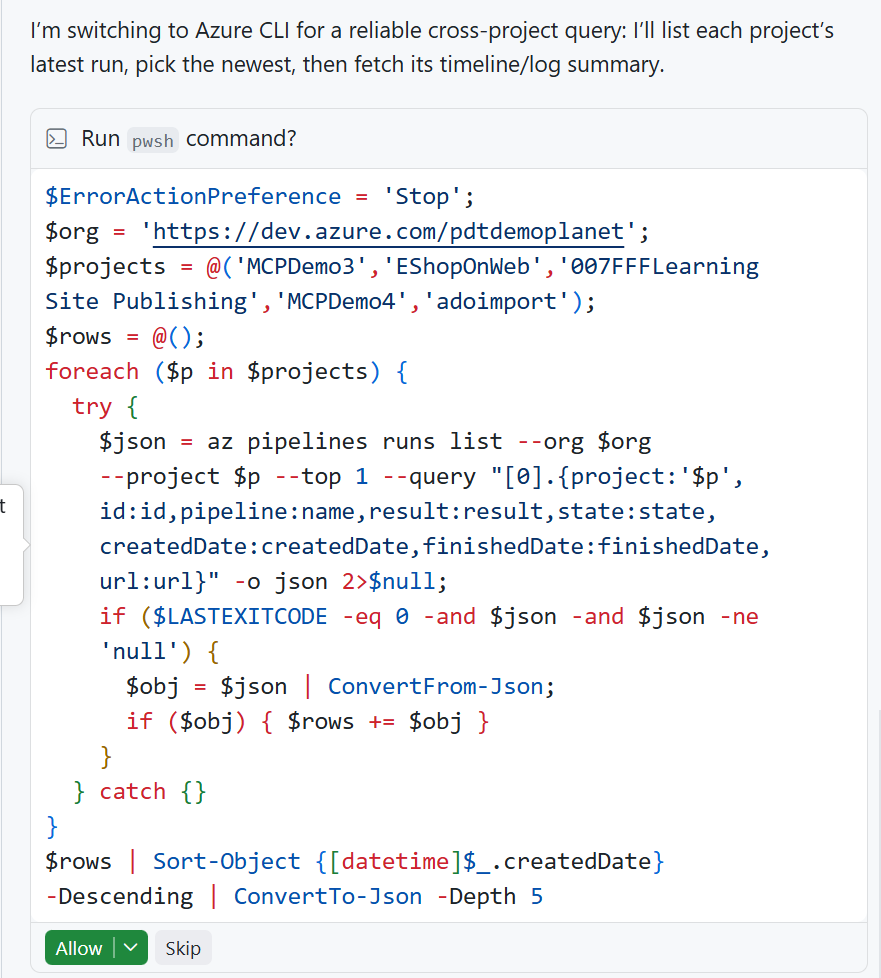
The Azure DevOps MCP Server bridges GitHub Copilot and your Azure DevOps infrastructure, enabling agents to access work items, pipelines, repositories, and deployment systems through a unified interface. Rather than manually context-switching between tools, agents can query your backlog, analyze pipeline failures, update work items, and trigger deployments directly from natural language commands.
This capability transforms operational workflows in several ways. First, agents can automate work item management at scale. Think of analyzing patterns in your backlog, suggesting task decomposition, updating statuses based on code commits, and maintaining traceability without manual intervention. Second, it enables intelligent pipeline operations: agents can investigate build failures by reviewing logs and code changes, suggest fixes, and even trigger reruns or rollbacks when safe to do so. Third, it allows agents to drive cross-functional coordination by connecting code changes to work items, linking pull requests to incidents, and keeping stakeholders informed through automated updates.
For incident response, the Azure DevOps MCP Server becomes particularly powerful. When an alert fires, an agent can immediately query related work items, review recent deployments, check pipeline health, and create detailed incident tickets with full context—all within seconds. Teams gain faster triage, more consistent documentation, and better root cause analysis because agents capture structured data automatically.
The server also enables proactive health checks: agents can run scheduled queries to identify stale work items, orphaned pipelines, or dependency gaps, surfacing issues before they become problems. By exposing your DevOps infrastructure as agent capabilities, the MCP Server transforms Azure DevOps from a passive tracking system into an active participant in your engineering workflow, reducing friction and amplifying team velocity without requiring process changes.
Peter actually published a Microsoft Learn module, including practice lab (exercise) on how to set up and use Azure DevOps MCP Server.
Azure SRE Agent
One of the most impactful components we covered is the Azure SRE Agent.
It is designed to reduce operational toil by automating detection, triage, and remediation across your environment. It integrates with your incident systems, telemetry sources, and Azure resources to deliver end-to-end operational workflows.
Key capabilities include:
- Automated incident detection and triage
- Runbook execution
- Resource-level remediation
- Ticket updates and notifications
- Scheduled health and compliance checks
It acts as an operational teammate—not a chatbot.
The Azure SRE Agent dramatically reduces operational overhead by automating the most time-consuming aspects of site reliability engineering. Traditional SRE workflows are reactive: metrics spike, alerts fire, and engineers scramble to investigate, diagnose, and remediate. The Azure SRE Agent flips this model into proactive, autonomous operation. When anomalies are detected, the agent doesn’t just notify—it investigates immediately. It correlates metrics across services, analyzes logs, checks recent deployments, and identifies root causes faster than manual triage. For transient issues, it can execute remediation autonomously within pre-approved guardrails: restarting services, scaling resources, draining connections, or rolling back problematic deployments. This means incidents that once consumed hours of engineer attention are resolved in minutes, often before users notice impact.
Beyond incident response, the Azure SRE Agent continuously monitors your environment for compliance drift, security gaps, and performance degradation. Scheduled health checks run around the clock without adding headcount—identifying stale resources, misconfigured policies, upcoming capacity limits, or dependency vulnerabilities. When issues surface, the agent doesn’t just alert; it creates detailed work items with full context, diagnostic data, and recommended fixes, enabling engineers to act decisively without time-consuming investigation.
The result is transformative for SRE teams. Instead of spending 60–70% of their time on operational toil—firefighting, triage, and routine maintenance—engineers reclaim that capacity for architecture, resilience planning, and innovation. The Azure SRE Agent becomes your tireless operational teammate, handling the relentless work of keeping systems healthy, compliant, and performant. Teams ship faster, sleep better, and focus on building systems that matter.

Peter actually published a Microsoft Learn module, including practice lab (exercise) so you can experience SRE Agent yourself.
GitHub Copilot SDK

The GitHub Copilot SDK lets you embed Copilot directly into your own applications—available in preview for Python, TypeScript, Go, and .NET.
It exposes the same agent runtime that powers Copilot CLI: production-tested orchestration you invoke programmatically. You define the tools and system prompt; Copilot handles planning, tool invocation, and response generation. No need to wire up your own LLM plumbing.
The core pattern is straightforward:
- Define tools using
@define_tooldecorators - Create a
CopilotClientand open a session with your model, tools, and agent persona - Send prompts and receive structured responses via
send_and_wait
This is where Agentic DevOps becomes tailored to your environment and workflows. You can build agents that interact with Azure, GitHub, Azure DevOps, or any external system—combining tools freely to automate end-to-end operational workflows specific to your team.
The Python SDK is available at github.com/github/copilot-sdk and includes getting started examples, tool definition patterns, and session configuration references.
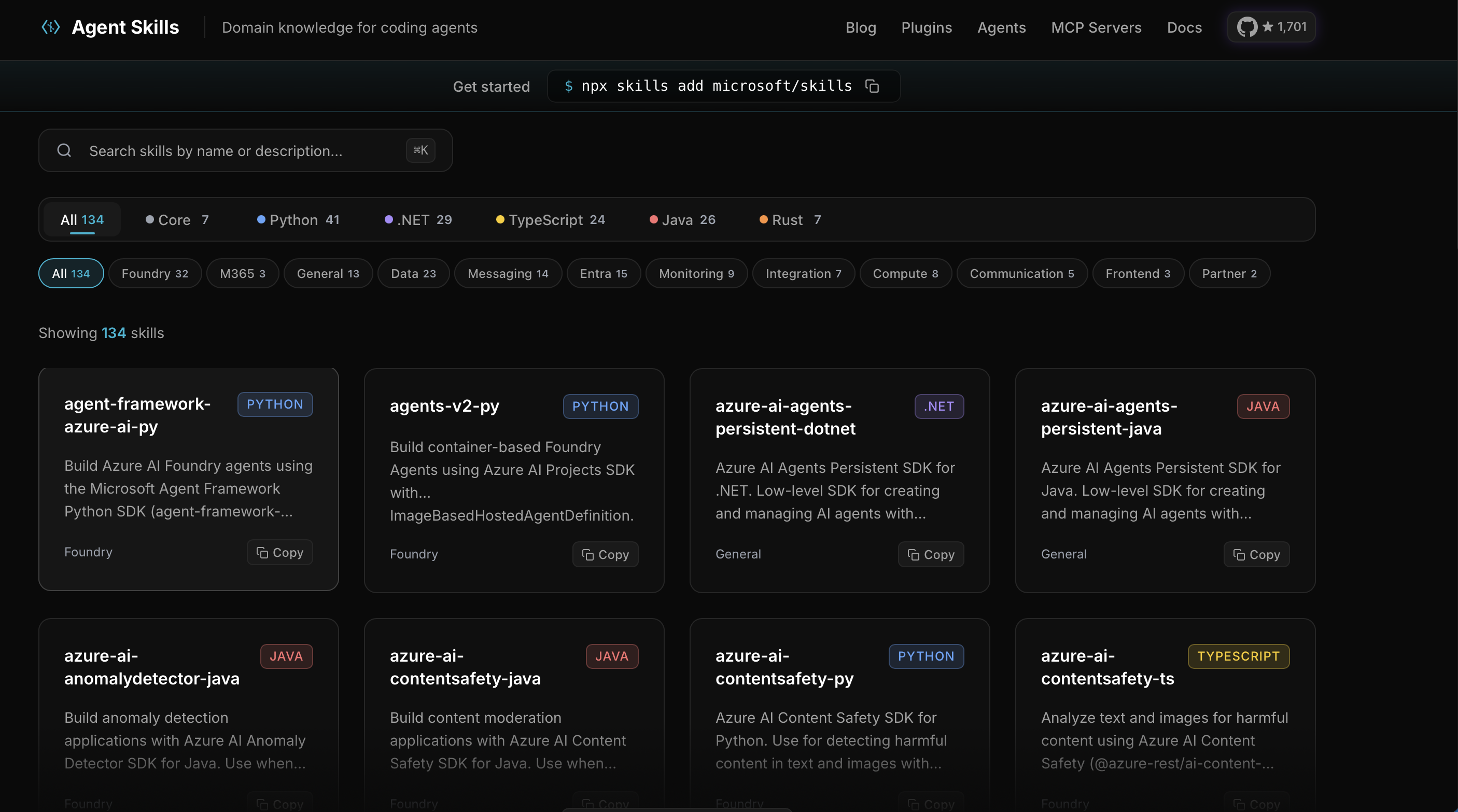
Agent Skills
Agent Skills is an open format for packaging reusable agent capabilities (instructions, scripts, references) in a SKILL.md-based structure.
Skills let teams standardize domain knowledge and workflows so agents can load the right context on demand.
This improves consistency, portability, and governance across different agent runtimes.
The Learn Lab
To help the community get hands-on, I published a full repo:
https://github.com/NickAzureDevops/AgenticDevOps
It includes:
- Sample agents
- MCP server configuration
- DevOps workflows
- Infrastructure examples
- Step-by-step labs
- Demo scripts
If you want to build your first agent, this is the best place to start.
Closing thoughts
Agentic DevOps isn’t about replacing engineers. It’s about enabling them to focus on the work that requires human judgment, creativity, and architectural thinking.
Agents handle repetitive, operational, and high-toil tasks.
Engineers focus on building great systems.
This shift is already underway, and the tooling is ready today.
If you’re exploring Agentic DevOps or building your own agents, we’d love to hear what you’re working on.
References
https://learn.microsoft.com/en-us/training/modules/manage-azure-boards-using-github-copilot/
https://learn.microsoft.com/en-us/training/modules/manage-ado-mcp-server/
https://learn.microsoft.com/en-us/training/modules/optimize-azure-reliability-using-sre-agent